skills.exe — Cyberware UI for a Concept MMORPG
Menus built into the player's hardware — an interface that behaves like software, not game chrome.
problem
Most game menus are chrome layered on top of a world — the player sees an interface the character doesn't have. In a cyberpunk setting where the character has computer hardware installed in their body, that's a missed opportunity: the menu could be something they're actually looking at. The question this piece sets out to answer is what a skill tree looks like when it runs on the character's own cyberware rather than floating above the game.
solution
I designed the interface as software the character is running — a program window with a title bar, a filename in monospace, and Windows XP-era chrome instead of the usual holographic neon. The premise then drives the decisions: programs have sidebars, so tree navigation is a sidebar rather than folder tabs; the detail panel is a subprocess with a .dll extension; and skills connect by circuit traces that light up as power reaches the nodes you own, so the tree shows you where you can act next.
The tree started as browser-style tabs. That conflicted with what a browser tab means — a connection to the web, something you search from — when skills.exe is meant to be embedded in the player's own OS. I moved to a file-explorer layout instead: sections in a left-hand bar, the tree filling the rest of the window like icons in a directory.
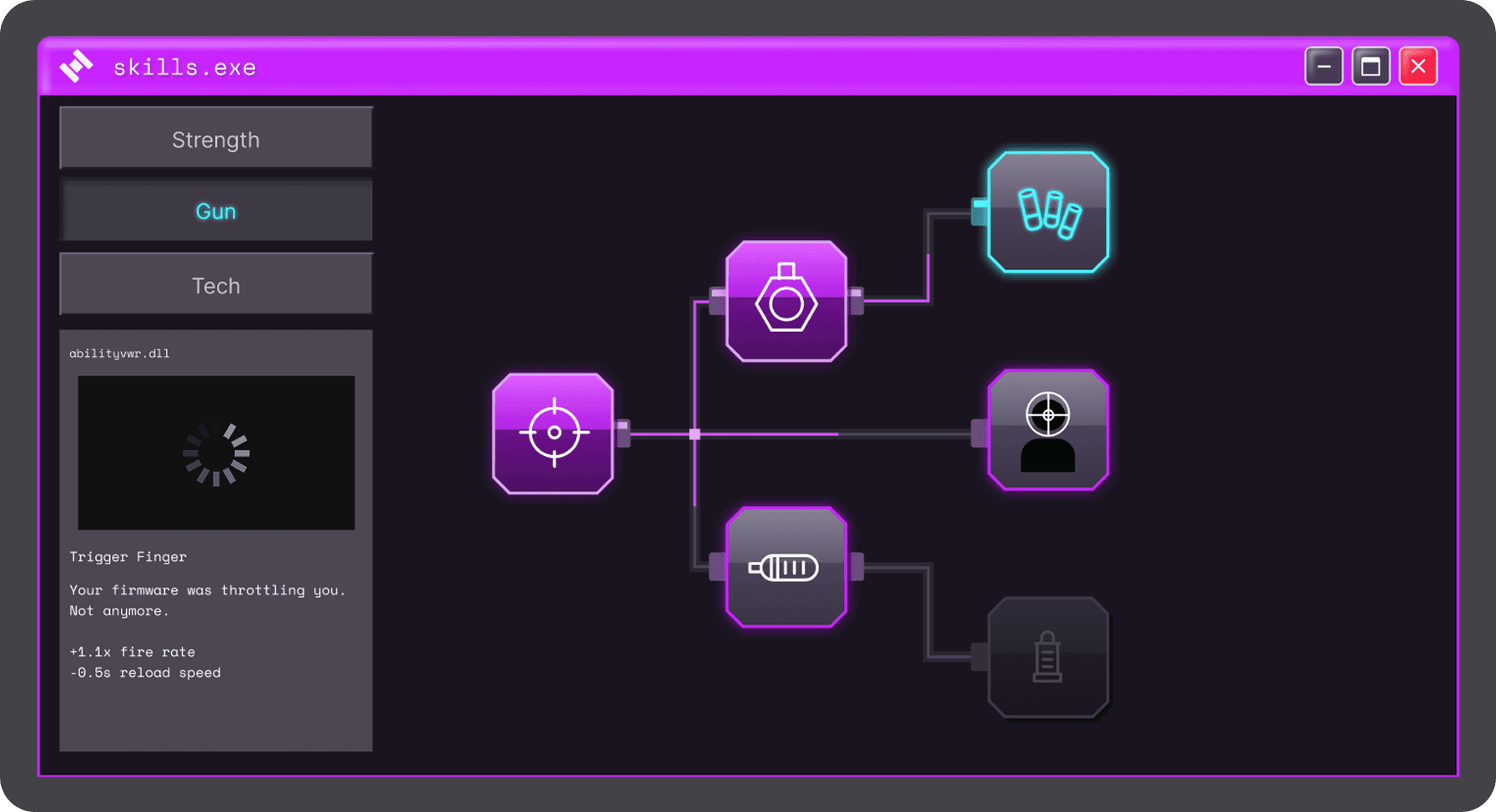
Every decision here answers to the same premise: if the menu is running on the character's hardware, it should behave like software, not like game chrome.
year
2026
timeframe
1 week
tools
Figma
category
UI/UX